CapCut alternative
The Free, Open-Source CapCut Alternative. No Watermarks, No Pro Lock
CapCut-style cutting without the paywall. Multitrack timeline, auto captions, stickers, and color filters (LUTs). Open it in your browser or install the free Mac and Windows apps.
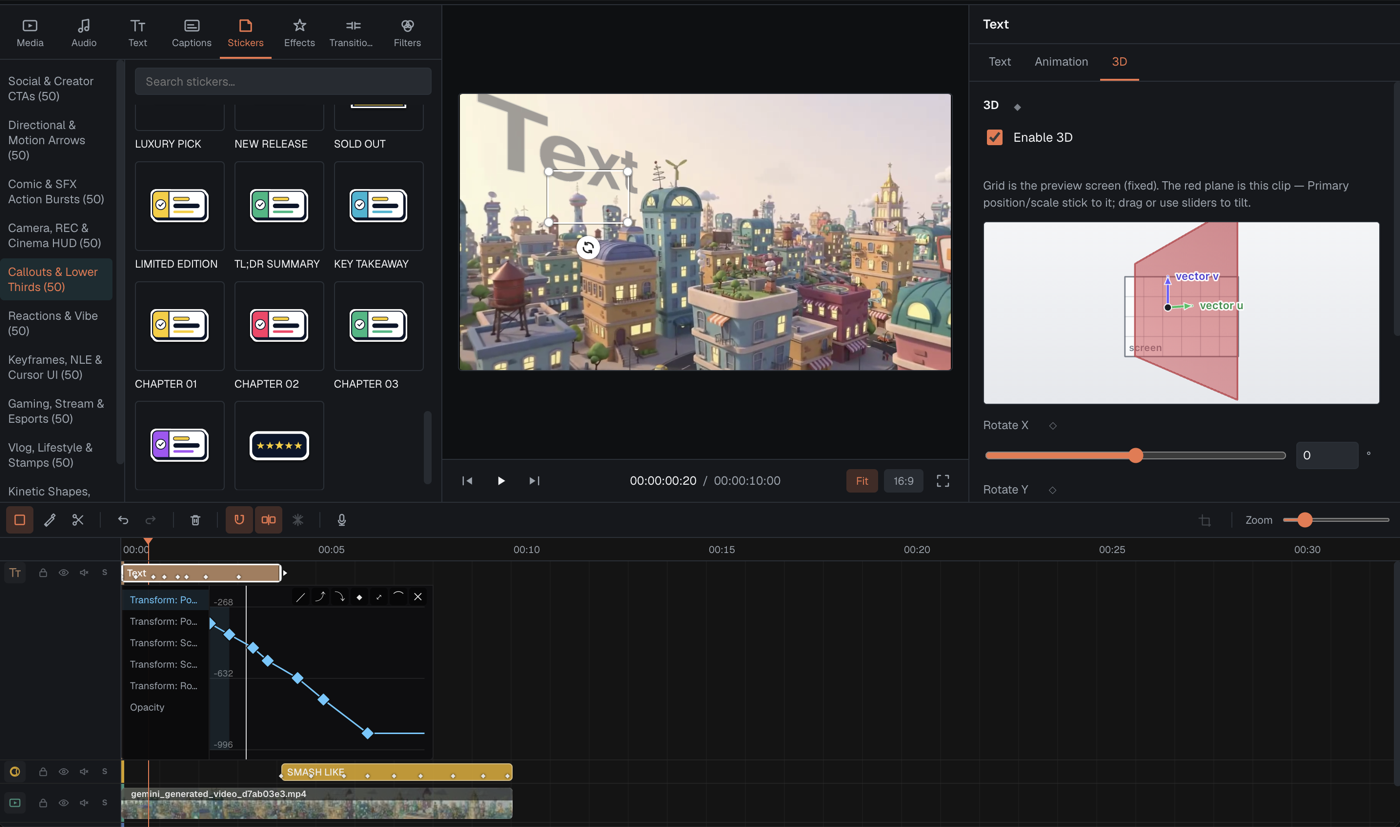
Why we built this
CapCut-style editing is great until an export or auto-caption sits behind a subscription, a watermark, or a forced cloud upload. We built IndieCut so you can keep that fast, familiar workflow: completely free, open source, and private on your own computer. Open it in your browser or install the Mac/Windows app with no account required.
CapCut vs IndieCut, side by side
Same kind of timeline workflow. Different deal on paywalls, privacy, and ownership. CapCut still wins in a few places. That is listed honestly below.
| Feature | CapCut (Free Tier) | IndieCut (MIT Open Source) |
|---|---|---|
| Watermarks & Export | Watermark / Pro gates on common free exports | No watermark; export stays unrestricted |
| Auto-Captions | Cloud-processed; free tier limits apply | Free auto-captions (processed privately on your computer) |
| Built-in Assets | Huge cloud library + trending templates | ~500 text templates, ~500 stickers, color filters free |
| Mobile Apps | Strong iOS / Android apps | No mobile app yet: browser + desktop only |
| Account & Privacy | Account + cloud sync for the full product | No sign-up needed; your files stay on your computer |
| Platforms | Mobile, desktop, and web | Chrome, Edge, Brave + Mac & Windows apps |
| License | Proprietary | Open source (MIT). Free forever, no lock-in |
Last updated: November 2026
What you lose / what you gain. CapCut still wins on mobile apps, cloud stock, and trending social templates. IndieCut wins if you want a clean export, private captions, and a zero-paywall editor you own.
How it actually runs
Unlike web editors that upload your project to a server and make you wait in an export queue, IndieCut runs directly on your computer. Open your clips in Chrome, Edge, or Brave, or download the free Mac or Windows app for heavier edits, and export straight to your drive with zero cloud wait.
Straight answers
Does IndieCut export without a watermark?
Yes. Exports are clean: no IndieCut watermark, and nothing locked behind a Pro plan.
Can I use IndieCut offline on Mac or Windows?
Yes. Download the free Mac or Windows apps from GitHub Releases. Editing stays on your computer.
Is IndieCut a free open-source CapCut alternative?
Yes. Free forever and open source: multitrack timeline, private auto-captions, stickers, color filters, and unrestricted export.
Do I need an account to use IndieCut?
No. Open the browser editor or install the desktop app. No sign-up required.