Open-source video editor
An Open-Source Video Editor Built for Modern Creators
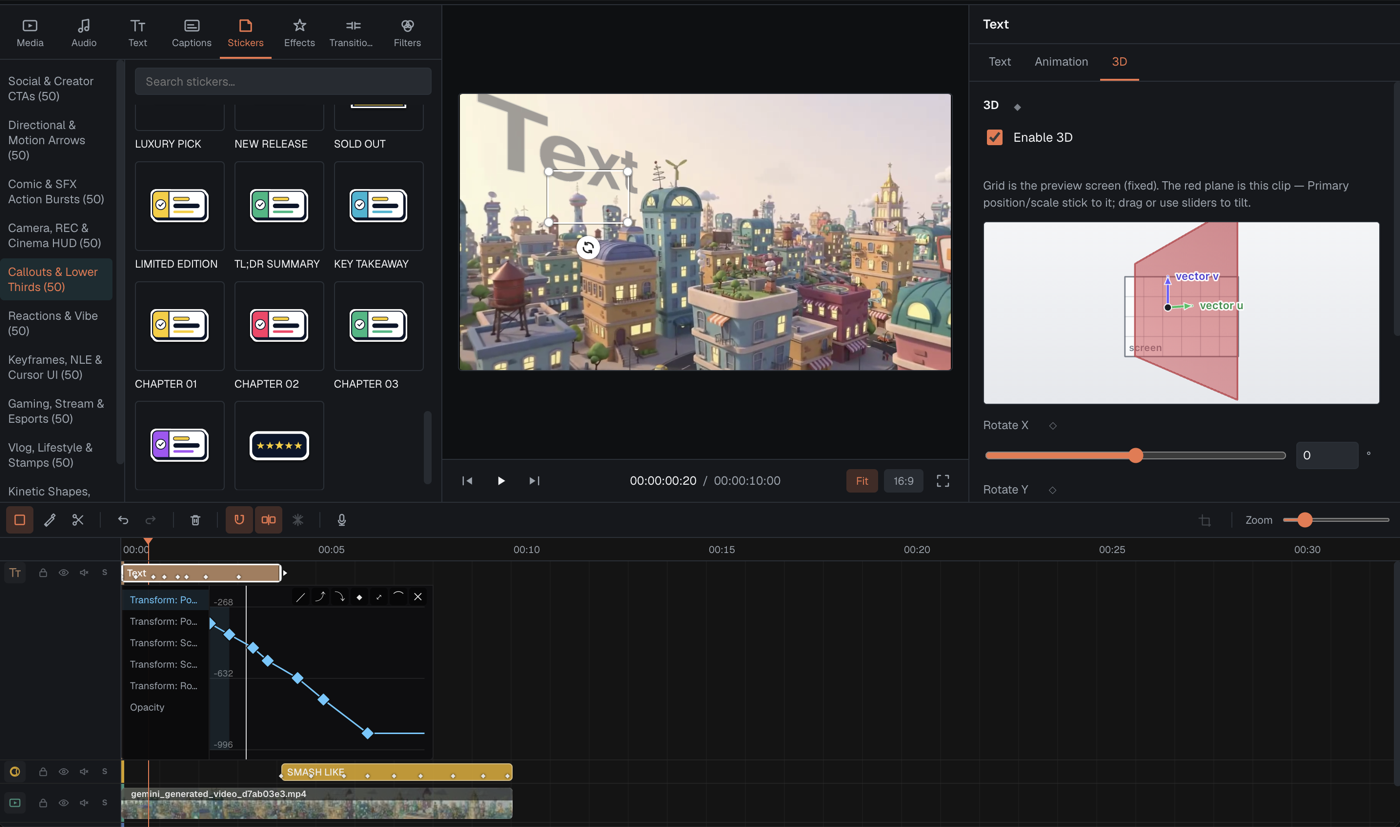
Most free open-source editors feel like software from 2010, or take hours to learn. IndieCut gives you a clean, fast timeline with built-in templates, stickers, and private auto-captions, right in your browser or on desktop.
The gap in free video editors
If you want a free, watermark-free video editor today, you usually get stuck choosing between three frustrating options:
- Freemium apps (CapCut, Clipchamp, VEED): Easy to use, until captions, effects, and clean exports get locked behind a monthly fee.
- Heavy pro suites (DaVinci Resolve): Incredible for cinema, but a massive multi-gigabyte install with a steep learning curve when you just want to cut a crisp video tonight.
- Traditional open-source tools (Kdenlive, Shotcut, OpenShot): Reliable and free, but built for classic desktop editing. No instant browser workflow, dated interfaces, and almost no ready-made text templates or modern creator stickers.
IndieCut sits right in the middle: fast enough to learn in five minutes, modern enough for Shorts and YouTube, and 100% open source under the MIT license.
A plugin system is also on the roadmap so creators and developers can add custom effects, presets, and tools without waiting on core updates.
How IndieCut compares
| What Matters | IndieCut | Kdenlive / Shotcut | DaVinci Resolve (Free) |
|---|---|---|---|
| Open Source | Yes (MIT) | Yes (GPL) | No (Closed source) |
| Runs in Browser | Yes. Instant, zero install | No (Desktop install only) | No (Large desktop install) |
| Desktop App | Mac & Windows | Mac, Windows, Linux | Mac, Windows, Linux |
| Learning Curve | Easy (CapCut-style) | Moderate | Steep (Pro studio tool) |
| Built-in Templates & Stickers | ~500 text templates & ~500 stickers included | Minimal built-in presets | Basic titles (more in paid/plugins) |
| Private Auto-Captions | Built in, runs on your device | Available (requires model setup) | Paid Studio version only |
| Best For | Fast social, YouTube & everyday edits | Traditional Linux/desktop editing | Film color grading & heavy post-production |
Last updated: November 2026
Honest note. If you are color-grading RAW cinema footage or editing a feature film on Linux, DaVinci Resolve or Kdenlive is still the stronger pick. If you want to open a timeline in seconds, add clean titles, stickers, and captions, and export without fighting menus, IndieCut was made for you.
Straight answers
Why does open source matter for a video editor?
It means no company can suddenly put your features behind a paywall, force you into a cloud subscription, or take your projects hostage. The code is public on GitHub and free forever.
Do I have to install anything to try it?
No. Open app.indiecut.io in Chrome, Edge, or Brave to start editing immediately. If you work on longer videos later, download the free Mac or Windows desktop app anytime.
Can I use IndieCut for commercial YouTube or client work?
Yes. IndieCut uses the permissive MIT license with no watermarks and no commercial restrictions.